
Dora: Explore and Play!
Budge StudiosEducational
4.011.00 Reviews
- Version
- 2026.1.3
- Installs
- 500.00K
- Age Rating
- Everyone
Screenshots
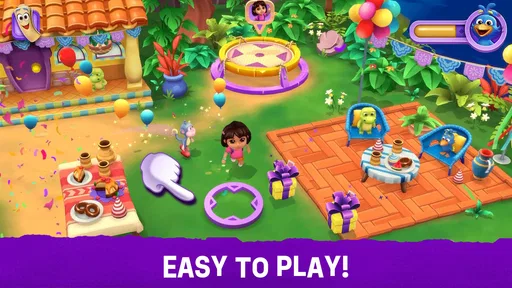
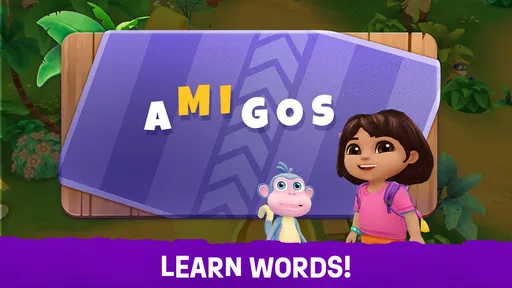
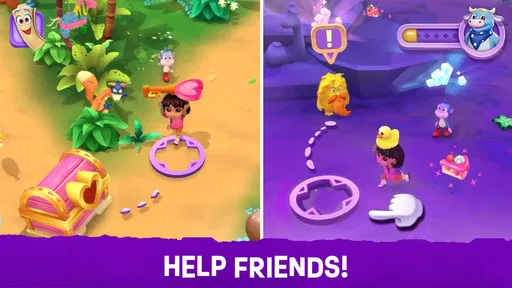
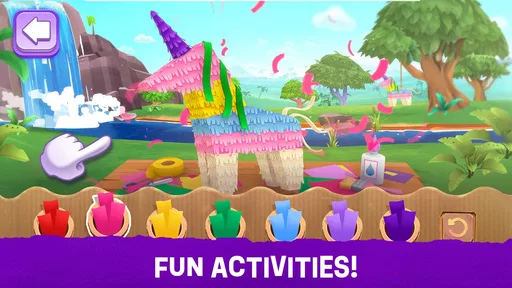
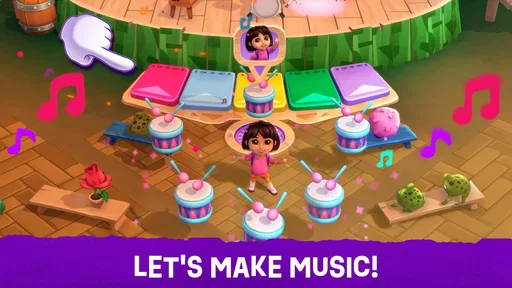
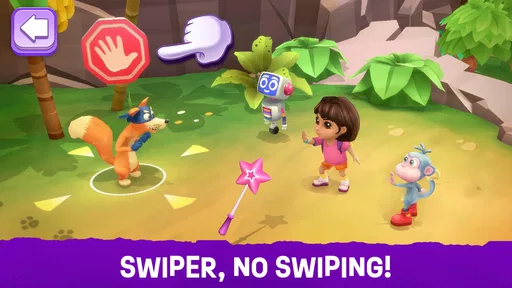
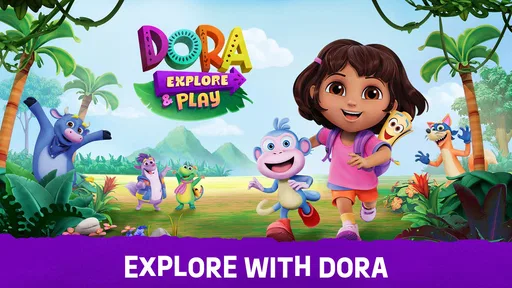
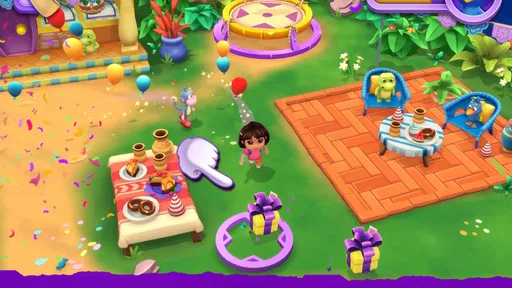
Our Review of Dora: Explore and Play!
 Analysis by Appyee
I spent time with Dora: Explore and Play! as a child-focused educational game, and its strongest idea is easy to understand: it turns short learning activities with Dora and her friends into something that feels like play rather than a lesson. That distinction matters for younger children. A child who resists worksheets may be more willing to follow a familiar character through a simple activity, especially when an adult frames the game as a shared discovery instead of leaving it to run unattended.
The game comes from Budge Studios and is aimed at boys and girls from preschool age through the early primary years. It is free to start, carries an Everyone age rating, and has reached over 500 thousand installs. Those details make it approachable for families who want to test a gentle learning title before committing to it, although the optional purchases, priced at $9.99 per item, deserve attention before a child begins playing independently.
Learning through guided play with Dora
The capability I found most important is the way the game uses Dora as a familiar guide for educational play. Instead of presenting learning as a separate school-like task, it places the child inside a colorful Dora-themed setting where participation is encouraged through recognizable characters and simple interactions. The result is not a replacement for reading together, drawing, counting objects in the real world, or talking with a child. Its value is as a bridge: it can make a child more comfortable starting an activity and more willing to repeat it.
That repeated contact is where the educational angle becomes useful. Young children often need several relaxed attempts before a concept feels natural. A short game session can give them another chance without the emotional pressure that sometimes comes with being corrected by an adult. I also liked that the familiar theme gives parents an easy opening for conversation: after a session, you can ask what Dora did, what the child noticed, or why a choice was made. The screen activity then becomes a prompt for language and reasoning away from the device.
I would not describe this as a deep academic platform. Its appeal is better suited to early learning moments, reinforcement, and confidence-building. Children who need a clear explanation of a difficult school topic will still benefit more from a parent, teacher, book, or specialized learning app. Dora’s role is to make practice feel approachable, not to deliver a complete curriculum.
The store shows an average rating of 4.0 from around 1.9 thousand ratings, which suggests a generally positive reception with room for mixed experiences. I think that balance makes sense. A child who already loves Dora may connect with the presentation immediately, while another child may find the character theme less interesting than a game built around vehicles, animals, puzzles, or open-ended drawing.
What the guided approach changes for a child
In ordinary use, the biggest effect is motivation. A preschooler may not say, “I want to practice an educational skill,” but may happily join a familiar character on an activity. That small change in attitude can make a difference during a quiet afternoon, a transition before dinner, or a short period when a parent needs a calm activity nearby.
There is also a useful emotional advantage to guided play. When the game presents a task through a friendly character, mistakes can feel less final than they do on paper. I would still sit close enough to notice frustration, especially for children at the younger end of the intended range. A child who cannot yet explain what is confusing may simply tap repeatedly or leave the activity, so an adult’s occasional encouragement remains important.
One practical tip is to use the game as a conversation starter rather than a digital babysitter. Before launching it, I would give the child one small goal, such as noticing a new word, describing a character’s action, or explaining a choice. Afterward, ask for the story in the child’s own words. This turns a brief screen session into listening and speaking practice, which is something a store description alone would not reveal.
How I would introduce it at home
I would begin with a short, supervised session and watch how the child responds to the instructions, pacing, and visual style. Do they understand what to do without constant help? Do they enjoy trying again after a mistake? Are they tapping randomly because the activity is unclear, or because they are exploring? Those observations tell you more than the age label alone.
For a child who is still developing hand control, I would avoid treating speed as success. Let the child take time to identify objects or follow the activity in a deliberate way. If the game moves faster than the child can comfortably manage, the learning benefit may be replaced by frustration. In that situation, sitting together and narrating the action can help, but it may also be a sign that a slower, simpler app would be a better fit for now.
I would also check purchases before handing over the device. The game is free, but optional in-app items cost $9.99 each. That does not automatically make it poor value, yet it changes how I would set up a child’s device. A parent should decide in advance whether the free experience is enough, whether a purchase is worthwhile, and whether the child can reach the purchase controls. Clear boundaries prevent a learning session from turning into an unexpected payment discussion.
How it works in an everyday family routine
Imagine a child has finished breakfast but is not ready to leave for preschool. I could offer a brief session while preparing a bag, then sit down for the last few minutes and ask the child to explain what happened. In that setting, the game works as a transition activity. It gives the child something structured to do, while the Dora theme makes the invitation feel familiar rather than like another demand from an adult.
Another useful moment is after a shared book. If the story includes travel, animals, friendship, or solving a small problem, I would let the child play and then compare the game’s situation with the book. The goal is not to force a lesson onto every activity. It is simply to connect the digital experience with language the child already understands.
For siblings, the game may work best when each child gets a turn and the older child is encouraged to describe rather than take over. An older preschooler may be able to model patience for a younger sibling, but adults should watch for one child grabbing the device and completing everything. The educational value belongs to the child making choices, not merely watching someone else succeed.
On a trip or during a waiting period, this type of game can be convenient because it offers a familiar activity without requiring a pile of materials. Still, I would not rely on it as the only travel entertainment. Young children benefit from conversation, movement, and hands-on play, and a screen-based activity can lose its charm when used for every quiet moment.
A small workflow that improves the experience
My preferred routine would be simple: choose a time limit before opening the game, play alongside the child for the first few minutes, let the child make the decisions, and finish with one question about the activity. This avoids two common problems. The first is passive watching, where the child sees Dora but does little thinking. The second is abrupt removal of the device, which can make the game feel like a reward being taken away rather than one part of a predictable routine.
I would keep the follow-up question open-ended. “What did you do?” is more useful than “Did you like it?” because it invites memory and explanation. If the child cannot answer, that is useful information too: perhaps the session was too fast, the activity was not understood, or the child was mainly attracted to the characters and animation.
For early learners, repetition can be a strength rather than a weakness. If a child chooses the same kind of activity several times, I would not immediately push them toward something new. Repeating a familiar task can build confidence. I would step in only when the child is no longer engaging or when the game is being used entirely as background noise.
What parents should expect from the free starting point
The free entry makes it practical to see whether the theme and style suit a particular child. That is especially helpful because children in the same age group can have very different preferences and abilities. One may enjoy guided character play, while another may want construction, music, or unrestricted creative tools.
At the same time, I would approach the free version as a trial rather than assume it will satisfy every family indefinitely. The presence of optional items means the experience may invite a decision about spending later. Before paying, I would ask whether the child is actually returning to the learning activities, whether they can complete them with growing independence, and whether the added content would support a real routine rather than simply extend screen time.
The game runs on Android devices using at least version 5.1, which gives it a broad technical reach for families using older compatible hardware. It is also available as an iOS game, so households with different mobile devices have a straightforward way to consider it. I would still test it on the child’s actual device before planning a long session, since comfort, screen size, and responsiveness can affect how easily a young player follows the activities.
The tradeoffs behind the friendly presentation
The Dora theme is both the game’s clearest strength and its most obvious limitation. Familiar characters can lower the barrier to starting, but they can also dominate the child’s attention. Some children will focus on the character and treat the educational activity as a way to reach the next visual moment. That is not necessarily a failure, but it means adults should occasionally check whether the child is thinking through the task or simply tapping to continue.
There is a similar tradeoff between independence and parental support. The game is designed for young children, so I would not assume that an Everyone rating means every child can use it alone. A three-year-old and an eight-year-old can both fall within the intended audience while needing very different amounts of help. Younger players may need an adult to read, explain, or guide a finger toward the right interaction. Older children may want more challenge than the game provides.
This is where a dedicated alternative may be better. If your main goal is phonics, choose an app built specifically around letter sounds. If you want arithmetic practice, a focused numbers game may offer clearer progression. If your child learns best through physical manipulation, blocks, cards, or a workbook can provide feedback that a touch screen cannot. Dora: Explore and Play! makes most sense when motivation and familiar storytelling are the priority.
I also would not use it as a substitute for shared play. A child can learn from a screen, but the richest early learning often happens when an adult responds to questions, notices a child’s strategy, and adjusts the challenge immediately. This game can support that interaction, especially when played together, but it cannot read the child’s mood or adapt like a patient parent or teacher.
Questions I would resolve before installing
Would I choose it for a child who does not know Dora? I would try it, but with modest expectations. The educational activities may still appeal, yet the character connection is likely to be less powerful. In that case, I would compare the child’s response with a neutral learning app before deciding whether the themed presentation adds anything.
Would I recommend it for an older child? Only if that child enjoys Dora and is comfortable with early-learning content. The stated audience extends through age eight, but ability matters more than the number on the birthday cake. A confident reader looking for demanding puzzles may outgrow the experience, while an older child needing gentle reinforcement may appreciate its approachable style.
Is it suitable for independent play? Sometimes, but I would begin with supervision. Watch whether the child understands the activity, whether they can move between parts of the game, and whether purchase prompts create confusion. Once the routine is familiar, a short independent session may be reasonable, provided device controls and spending settings are handled by an adult.
Does the free price make it risk-free? Not entirely. There is no upfront cost to try, but the $9.99 optional items mean families should make purchase decisions deliberately. I would never let a young child decide at the moment of excitement. A calm conversation with the adult making the purchase is better than treating extra content as an automatic part of play.
Can it replace educational television or a learning video? I prefer it to passive viewing when the child is actually making choices, because interaction gives the child something to do. However, a well-chosen book or an adult-led activity can produce richer discussion. I see this game as one tool among several, not the center of a child’s learning plan.
Who gets the most from Dora’s guided activities
The best match is a young child who already responds warmly to Dora, enjoys short guided tasks, and benefits from encouragement while learning. For that child, the familiar world can make practice feel safe enough to repeat. Families who want an easy way to introduce a learning-themed screen activity will also appreciate the free starting point and the broad compatibility of the Android release.
It is particularly useful for parents who are willing to stay involved without turning the session into a test. Sit nearby, let the child lead, and use the game’s situations to prompt words, explanations, and connections to everyday life. That approach extracts more value than simply handing over the device and measuring success by how long the child remains quiet.
I would skip it, or at least compare it carefully with alternatives, if the child dislikes character-led games, needs advanced academic practice, or becomes upset by touch controls and repeated prompts. I would also look elsewhere if you want detailed progress tracking, a tightly structured subject course, or an experience designed primarily for independent older learners. Those needs call for a more specialized product.
The current release is version 2026.1.3, and the game was released on March 17, 2026. I mention that because parents sometimes install an app and expect it to remain unchanged; checking that the device is running the current version is sensible when an activity behaves unexpectedly. The developer is Budge Studios, a name families may recognize from other child-oriented titles, but the right choice still depends on how this particular child reacts to the game.
My overall view is positive but specific. This is most effective as a short, shared learning routine built around motivation, not as a complete educational system or a replacement for real-world play. Dora gives a hesitant child a friendly reason to begin, and a thoughtful adult can extend that moment into conversation and repetition. If that is what you need, the free trial is worth exploring. If you need deep subject teaching or a challenge that grows with a confident learner, I would spend the time comparing more focused alternatives before paying for extra content.
Verdict
Strengths of Dora: Explore and Play!
- Interactive games make learning basic concepts feel fun and rewarding.
- Bright visuals and familiar characters are appealing to younger children.
- Simple controls are easy for preschoolers to understand independently.
- Short activities suit brief play sessions and limited attention spans.
- Encourages exploration through varied puzzles, songs, and mini-games.
Limitations of Dora: Explore and Play!
- Some activities may become repetitive after extended play.
- The app is mainly suited to preschoolers, limiting its wider appeal.
- Younger children may need help navigating menus or selecting activities.
- Certain content may require an internet connection or additional downloads.
- In-app prompts can interrupt play and may require parental supervision.
Other Releases by Budge Studios
View All
Hello Kitty Nail Salon
Casual4.5

Barbie Dreamhouse Adventures
Simulation4.2

Thomas & Friends: Go Go Thomas
Racing4.4

Hot Wheels Unlimited
Racing4.5
Similar Picks in This Category
View All
Little Panda Policeman
BabyBus4.0

Monster Trucks Game for Kids 2
Raz Games4.1

Little Panda's Chinese Recipes
BabyBus4.4

Little Panda's Restaurant
BabyBus4.4

Little Panda's Ice Cream Games
BabyBus4.3

Baby Panda Care
BabyBus3.8
Frequently Asked Questions
What is Dora: Explore and Play!?
Dora: Explore and Play! is an interactive children’s app inspired by Dora’s adventures. It combines simple games, exploration, familiar characters, and educational activities designed for young children. During testing, the app felt easy to navigate, with colorful visuals and straightforward interactions that encourage children to participate while learning basic concepts such as problem-solving, recognition, and following instructions.
Is Dora: Explore and Play! suitable for young children?
The app is mainly designed for preschool-age children and early learners, although the ideal age may depend on the child’s reading ability and familiarity with touch-screen controls. Most activities are simple enough for independent play, but younger children may still benefit from occasional help. Parents should review the listed age rating and content information before downloading it for their child.
Does Dora: Explore and Play! require an internet connection?
Some features may work after the initial installation, but an internet connection can be required for downloading the app, receiving updates, loading certain content, or accessing optional features. Availability may also differ between Android and iOS versions. If you plan to use it while traveling or away from Wi-Fi, open the app beforehand and check which activities remain available offline.
Are there advertisements or in-app purchases in Dora: Explore and Play!?
Parents should check the current store listing carefully because advertising, subscriptions, and in-app purchase policies can change with updates or by region. Children’s apps sometimes include optional paid content or purchase prompts intended for adults. To avoid accidental spending, use parental controls, password protection, and device-level purchase restrictions before allowing a child to play without supervision.
Is Dora: Explore and Play! safe and easy for children to use?
The app offers a child-friendly presentation with bright artwork, recognizable characters, and controls based mainly on tapping and simple gestures. Nevertheless, parents should supervise initial use and review permissions, privacy details, and any external links shown in the store listing. It is also advisable to configure screen-time limits and parental controls, especially when the app is used on a shared device.
Play our best games!


